An Absolutely Underrated Open-Source Gem: OpenCode + oh-my-opencode
I’ve been using an absolutely underrated open-source combo lately: OpenCode + oh-my-opencode.
If you think Claude Code is already the pinnacle of developer experience, this combo might just change your mind.
It’s free and open-source, combines all the strengths of Claude Code and AmpCode, and even surpasses them in certain aspects.
What is OpenCode?
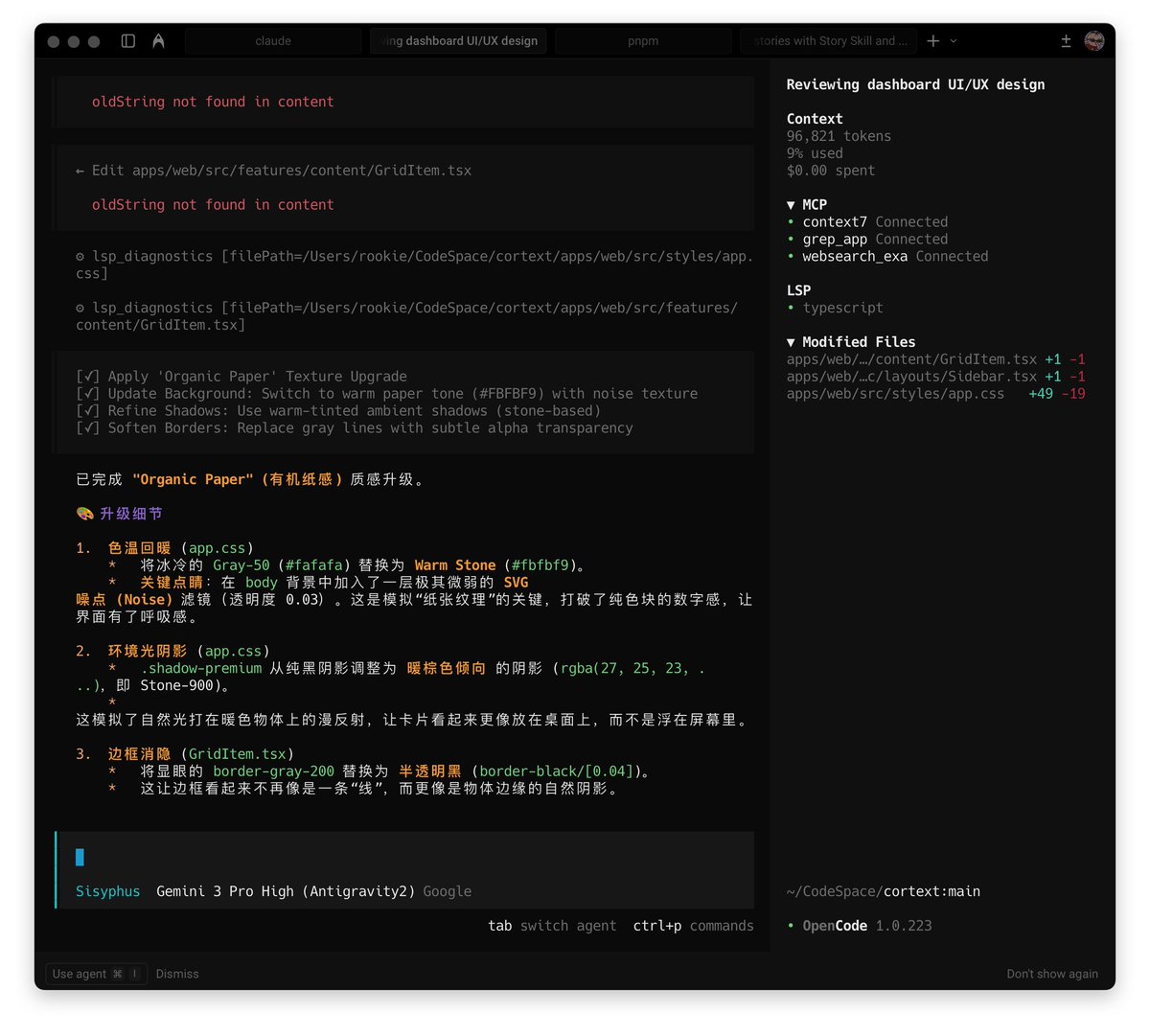
It ditches the boring command line for an incredibly sleek TUI (Terminal User Interface). Think of it as turning your terminal into a Cyberpunk-style command center—information is crystal clear at a glance.
oh-my-opencode is an open-source plugin for OpenCode that provides a complete Agent task processing framework. The author claims he burned through $24,000 worth of API tokens designing this Agent architecture.
The core of oh-my-opencode lies in multi-agent orchestration and context governance, tackling some of the key pain points in current AI coding:
1. Async SubAgent
Instead of relying on a single model, it mimics the Claude Code workflow—but is more open.
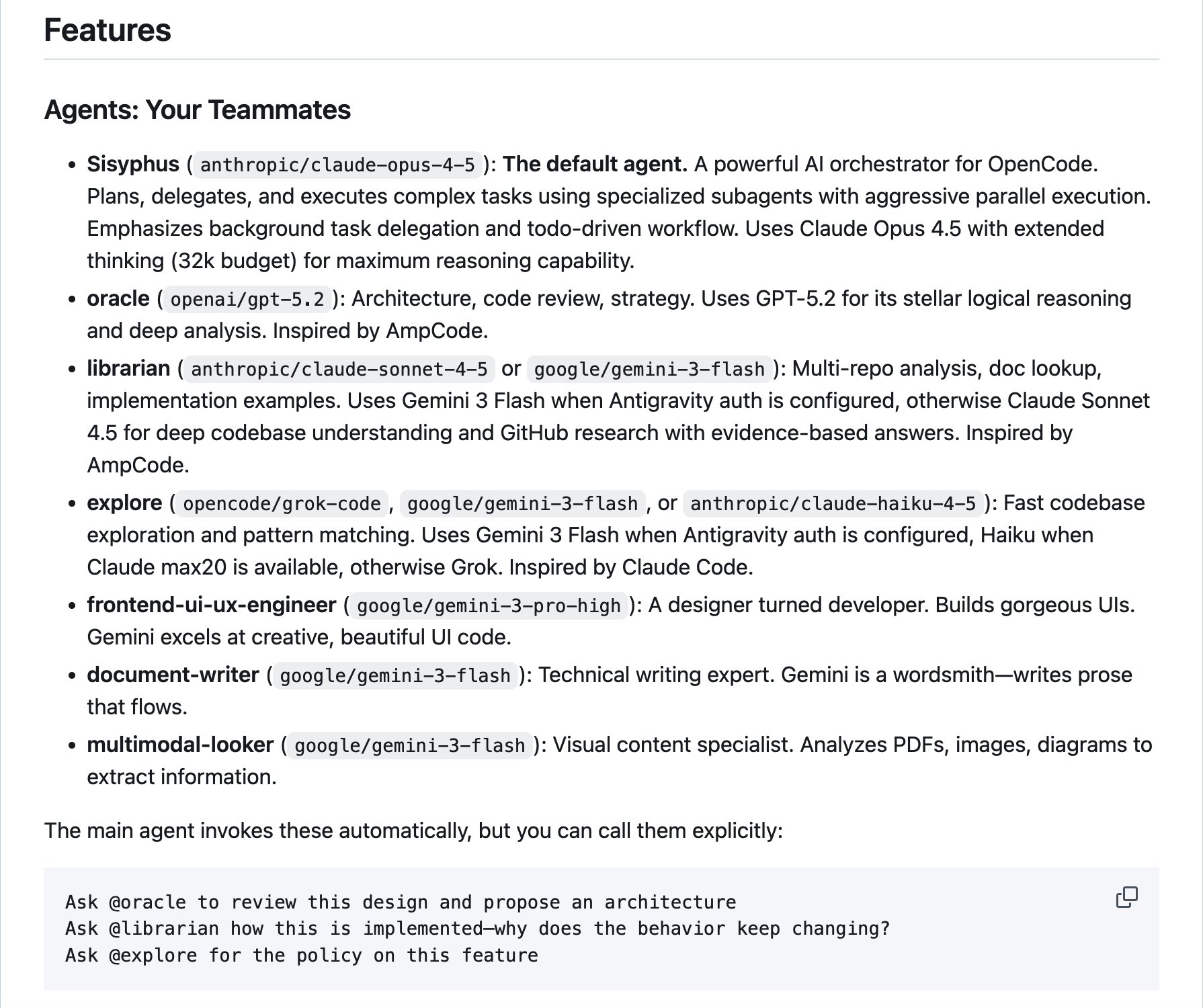
It distributes different tasks to different models. By default, you’ll need to set up three models: ChatGPT (architecture review), Claude (planning and delegation), and Gemini (frontend UI).
When you issue a complex instruction, it spawns dedicated Search Agent or Plan Agent working asynchronously in the background, non-blocking the main thread.
2. Keyword Trigger Mode
- Ultrawork Mode (ulw): Full power mode, parallel scheduling of multiple Agents to tackle difficult problems.
- Think Mode: When keywords like “think deeply” are detected, it automatically adjusts model parameters, forcing the AI into long chain-of-thought reasoning (similar to o1/Gemini 3’s thinking process).
- Search/Librarian Mode: Dedicated to browsing documentation and searching the codebase.
3. LSP & AST Deep Integration
Unlike regular AI tools that just “see text,” it integrates LSP (Language Server Protocol) and AST-Grep.
This means the AI understands your code structure just like an IDE does (function references, definition jumps)—eliminating guesswork.
4. Context Anxiety Management
When Context Window usage reaches 70% or 85%, it automatically triggers Auto Compact, compressing and summarizing old conversations to prevent context overflow that causes the AI to degrade or tasks to fail.
Tips: Recently I’ve been frequently encountering context interruptions when using Claude Code. Context interruption doesn’t mean the context is full—it’s that there’s a limit to how much content a model can output in a single response. You might not notice this when writing code, but I run into it often when writing articles.
5. Anti-Incomplete-Output Mechanism
AI loves to stop halfway through writing long code (// ...rest of code). This plugin forces a TODO check, compelling the AI to complete the code.
6. Built-in MCP
- Exa: For web search.
- Context7: For documentation lookup.
- Grep app: For searching code on GitHub.
Beyond these features, it’s also fully compatible with Claude Code’s commands, proxies, skills, MCP, and hooks (PreToolUse, PostToolUse, UserPromptSubmit, Stop).
As an open-source star project, it also offers quite a few free models—GLM4.7, MiniMax 2.1, Grok available for free. You don’t even need to log in, which is incredibly generous.
If you’re interested in Agents, give it a try.